Exit Early
Borrow Positions
A borrow position is exited by closing its debt before maturity. Because a full repayment is always available, you can exit a borrow position at any time.
There are two ways to exit a borrow position:
- Market repayment: You repay at the current market rate. When there is liquidity, you repay against existing offers, which can cost less than repaying at par; otherwise you repay the remaining interest in full.
- Limit offer: From the trading component, you set a target rate and relist your position as a limit offer, then wait for a counterparty.
If no counterparty fills your offer, the position stays open and you can still repay in full at any time. See Exit Early for how rates affect the cost of exiting.
- Portfolio page
- Position page
- Trading component
Go to the Portfolio page, where your positions are listed.
In the positions table, hover over the position's row, then click the three dots and click Repay.
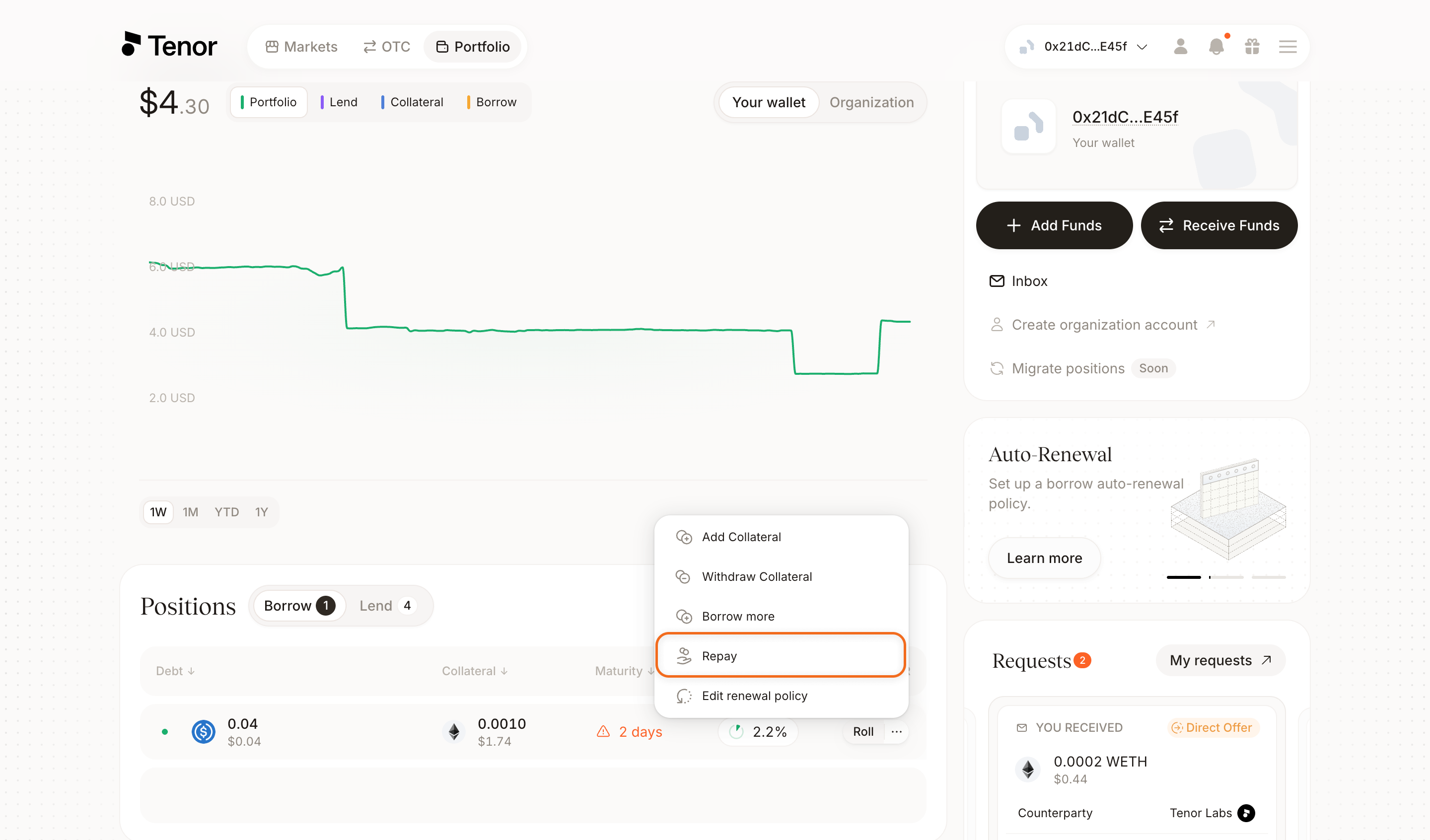
In the Repay window, enter the amount you want to repay, up to the Max repay shown. When there is liquidity, you repay against existing offers at the current market rate, which can cost less than par; otherwise you repay at par.
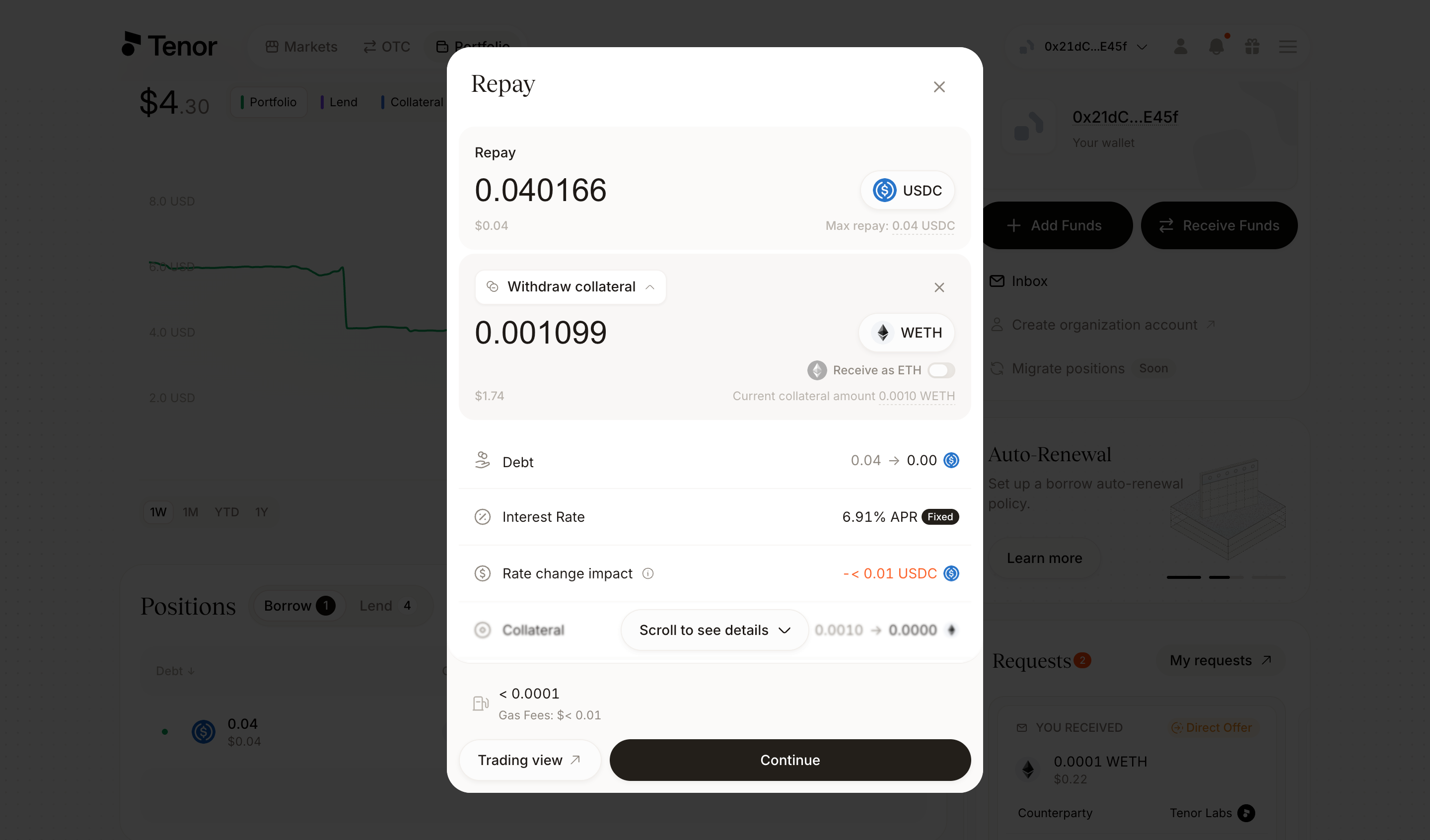
Click Continue, then confirm and sign the transaction in your wallet. To exit through the trading component instead, click Trading view at the bottom left of the window.
On the Portfolio page, click the position to open its Position page.
In the Borrow section of the Actions tab, click the three dots next to Borrow more and click Repay.
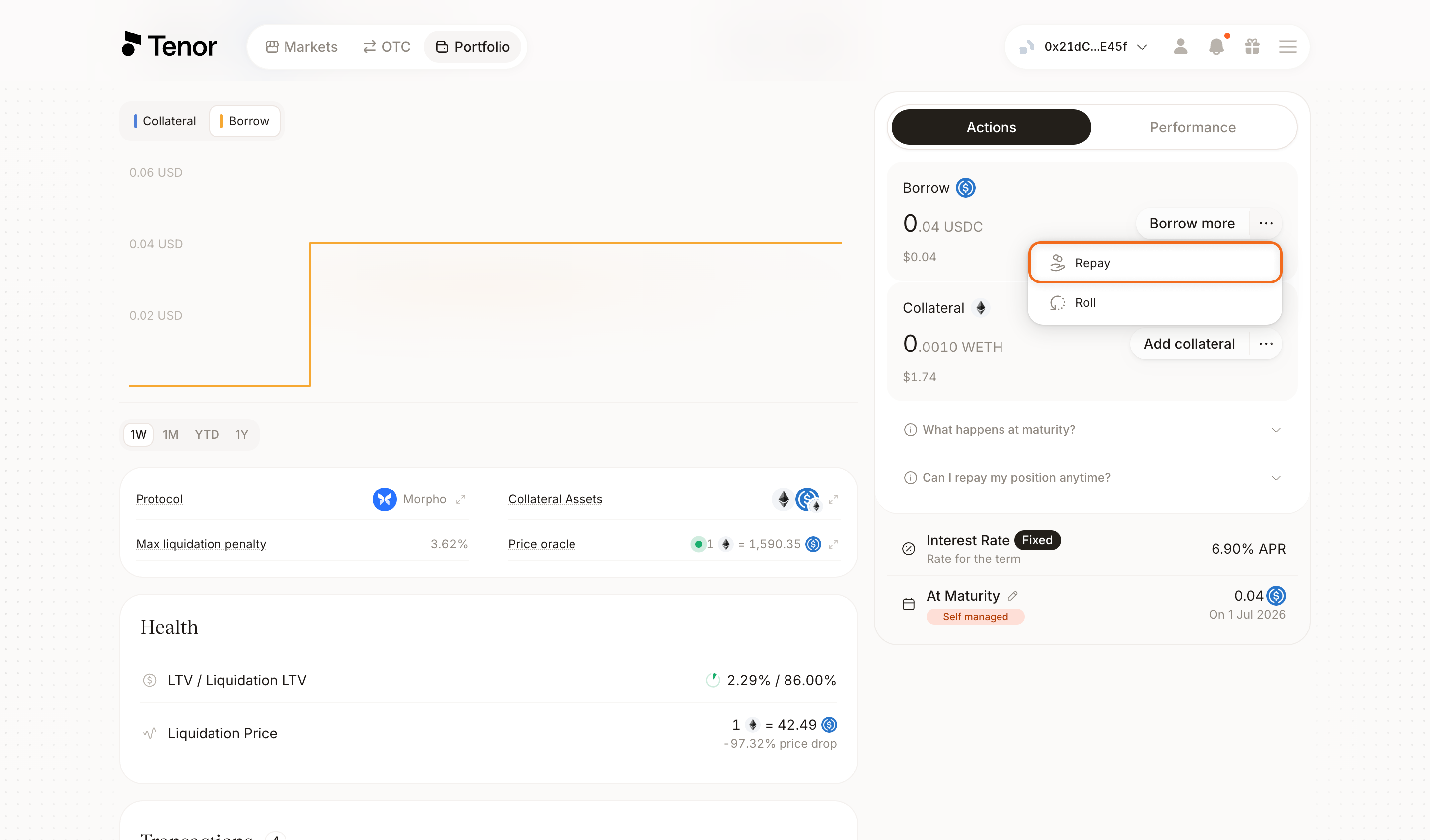
In the Repay window, enter the amount you want to repay, up to the Max repay shown. When there is liquidity, you repay against existing offers at the current market rate, which can cost less than par; otherwise you repay at par.
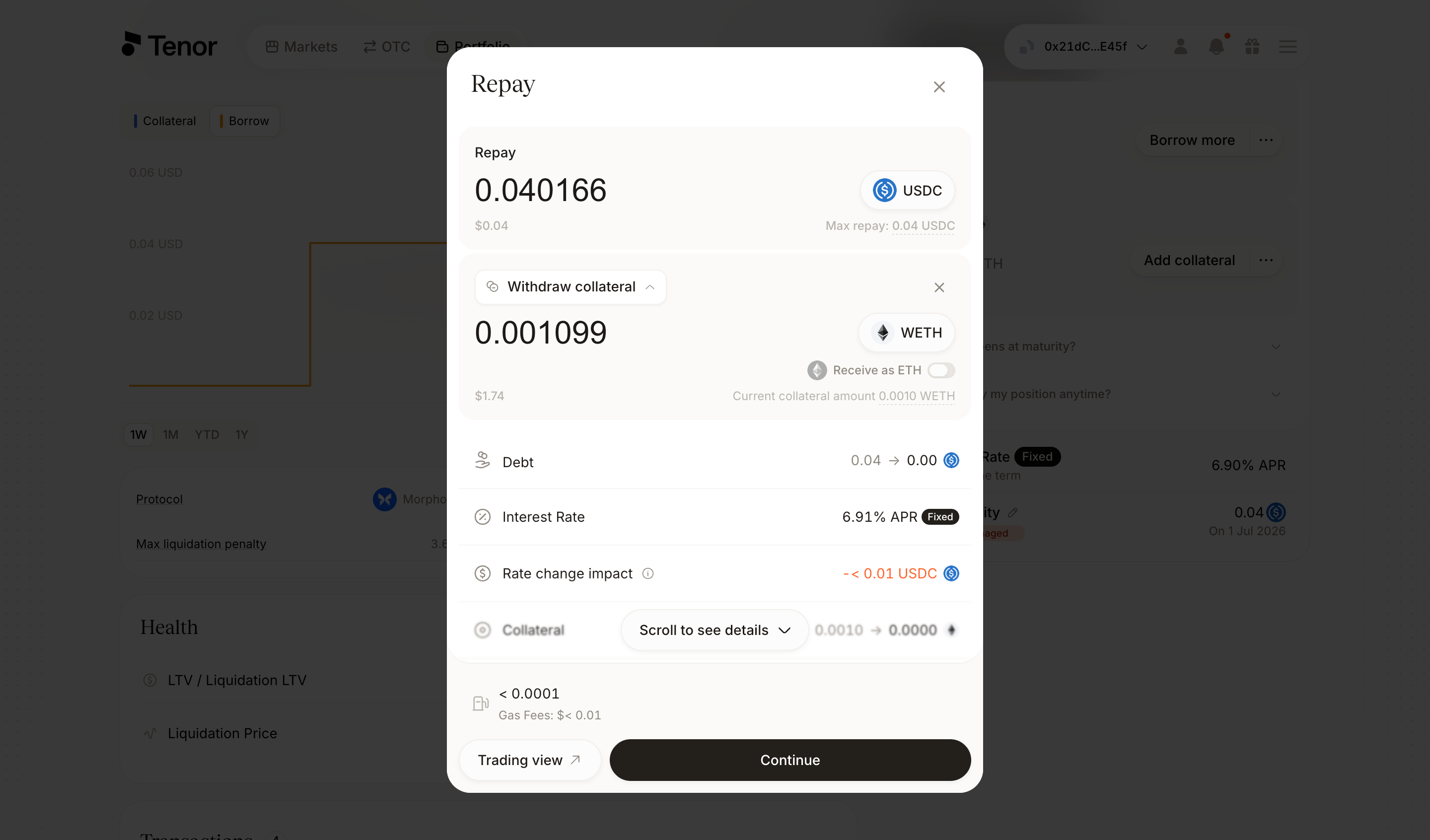
Click Continue, then confirm and sign the transaction in your wallet. To exit through the trading component instead, click Trading view in the window.
You can also exit from the trading component, where you can repay at the current market rate or relist your position as a limit offer at a target rate and wait for a counterparty.
Go to the Markets page and select the market where you hold the position.
Select the term your position is in.
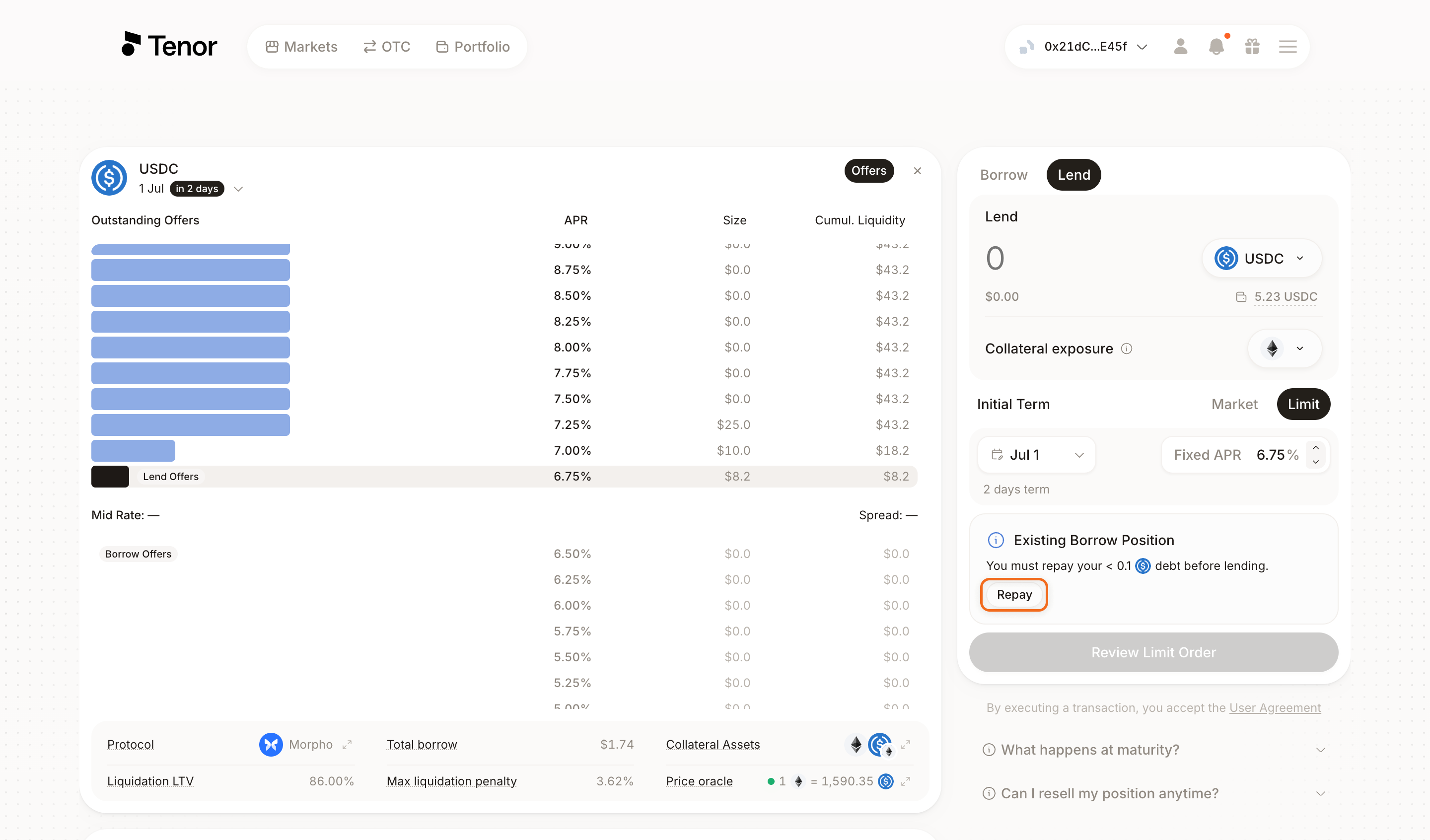
Select the Lend tab. Because you already hold a borrow position at that term, the app shows an Existing borrow position prompt. Click Repay in that prompt to open a Repay tab.
In the Repay tab, enter the amount you want to repay, then choose Market to repay against an existing offer at the current rate, or Limit to set a target rate and relist your position as a limit offer.
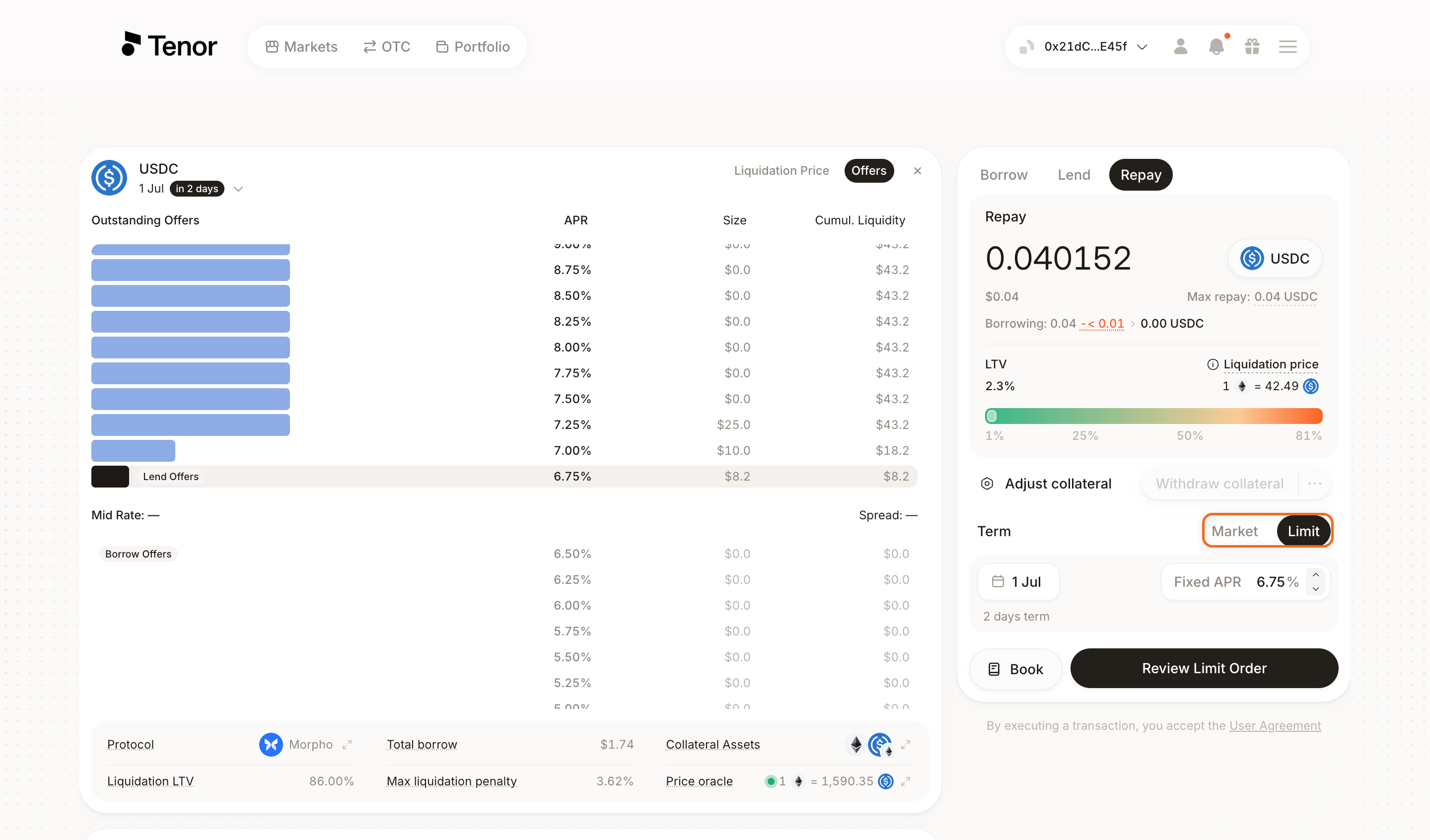
Click Review Order for a market repayment or Review Limit Order for a limit offer, then confirm and sign the transaction in your wallet.
Lend Positions
A lend position is exited by reselling it to another lender before maturity. Unlike a borrow position, which can always be repaid at par, exiting a lend position depends on liquidity: reselling needs a counterparty willing to buy the position.
You resell your position through the market, with two ways to exit:
- Market resale: You resell at the current market rate. When liquidity covers only part of your position, the resale is partial: you resell up to the amount available liquidity can absorb and hold the rest to maturity.
- Limit offer: From the trading component, you set a target rate and wait for a counterparty, whether to hold out for a better rate than the market offers or because there is no liquidity to resell against right now.
If no counterparty fills your offer, you hold the position to maturity and withdraw it then. See Exit Early for how rates affect the value of your position when exiting.
- Portfolio page
- Position page
- Trading component
Go to the Portfolio page, where your positions are listed.
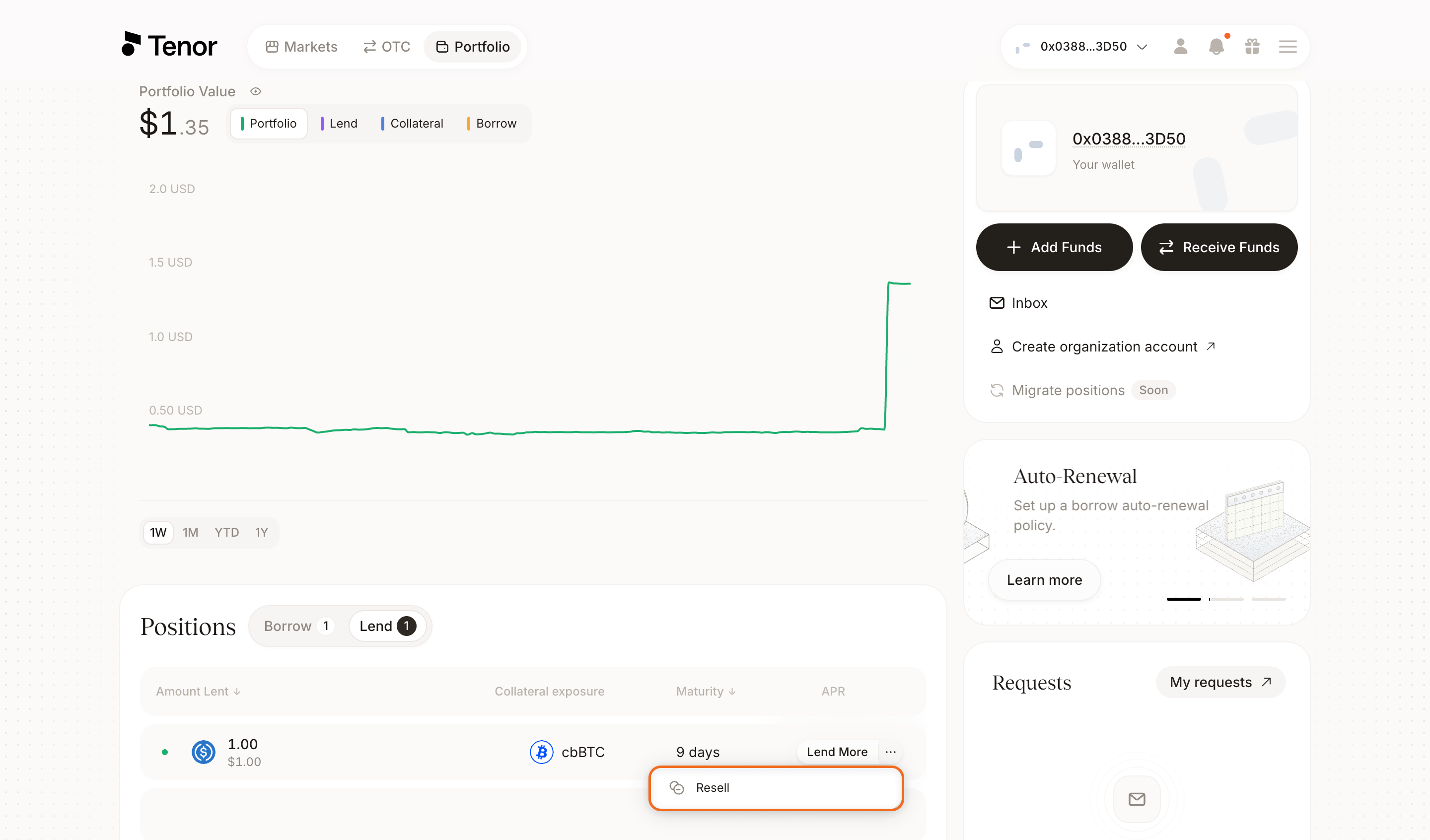
In the positions table, hover over the position's row, then click the three dots and click Resell.
In the Resell window, enter the amount you want to resell, up to the Max resell shown. The position is resold against existing offers at the current market rate, so the Max resell reflects the liquidity available to buy it.
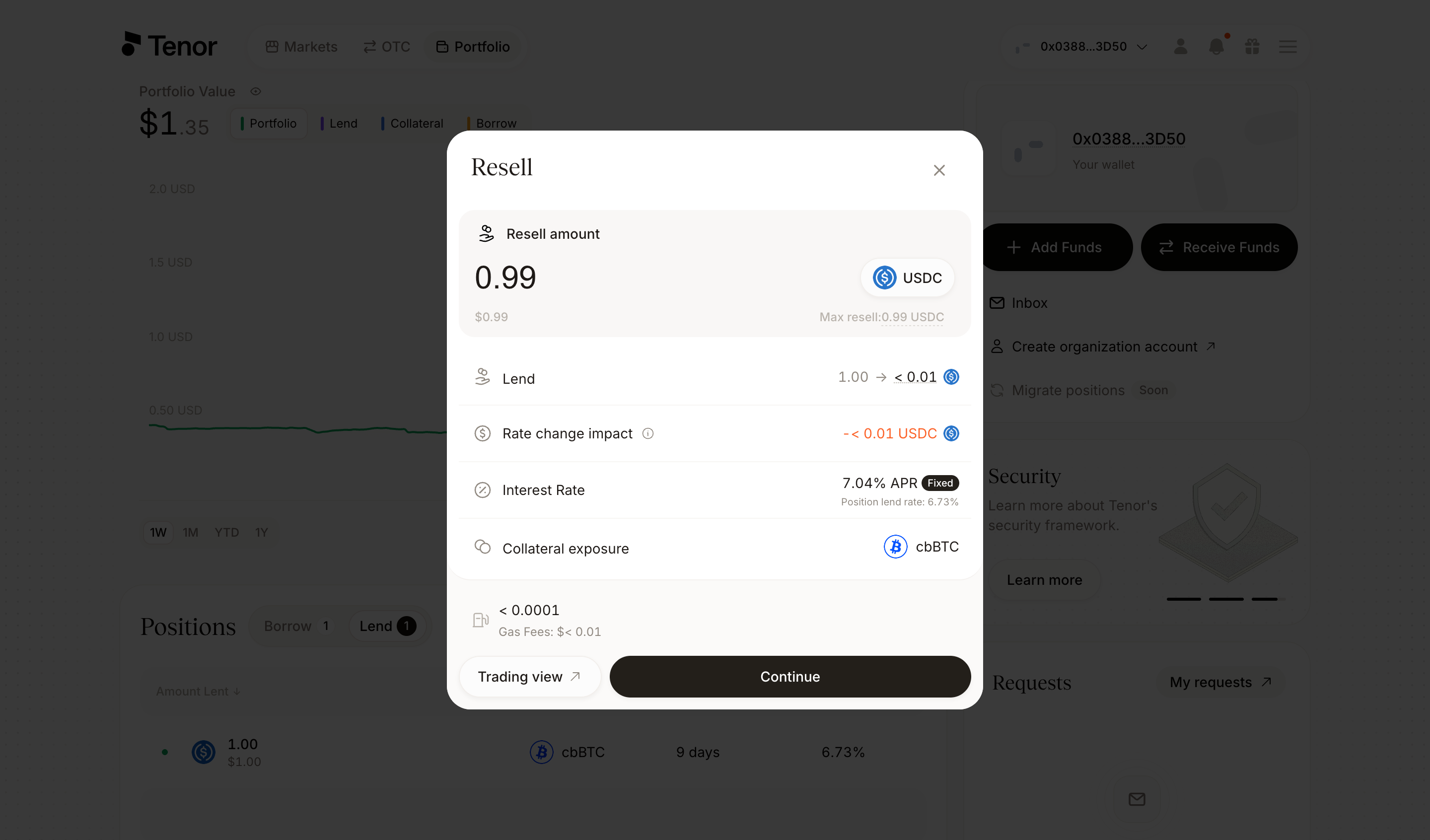
Click Continue, then confirm and sign the transaction in your wallet. To exit through the trading component instead, click Trading view in the window.
On the Portfolio page, click the position to open its Position page.
In the Lend section of the Actions tab, click the three dots next to Lend more and click Resell.
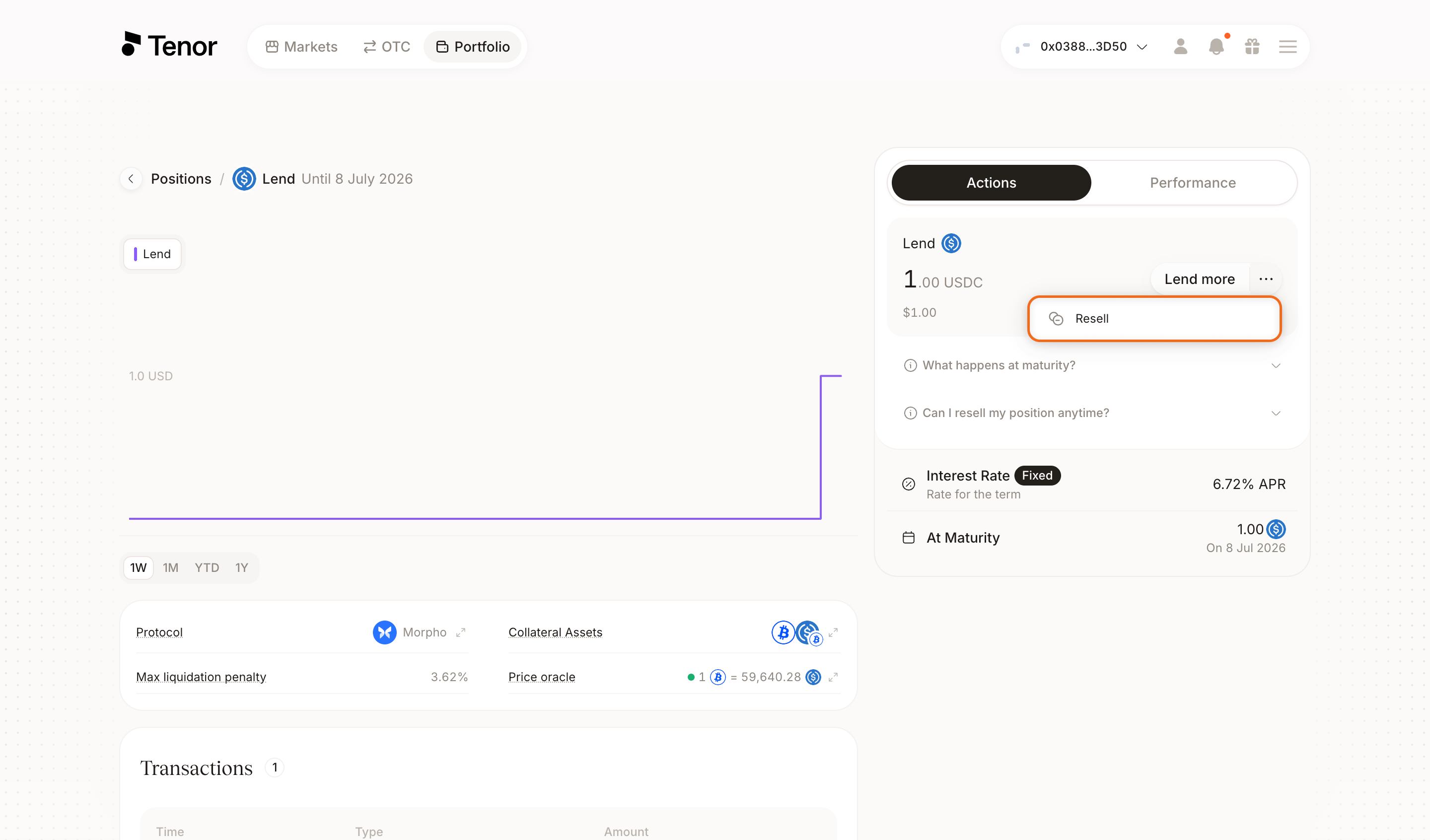
In the Resell window, enter the amount you want to resell, up to the Max resell shown. The position is resold against existing offers at the current market rate, so the Max resell reflects the liquidity available to buy it.
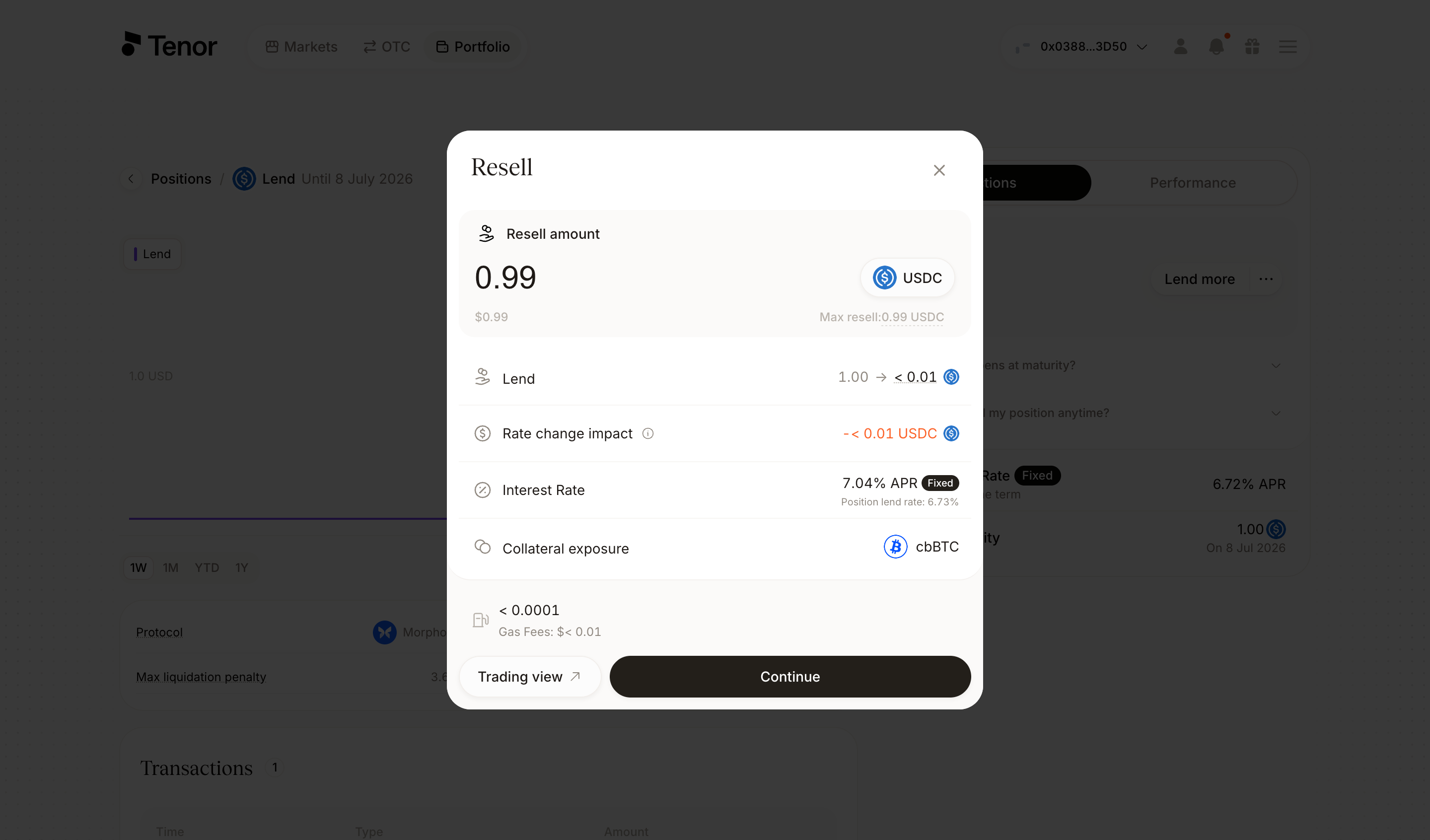
Click Continue, then confirm and sign the transaction in your wallet. To exit through the trading component instead, click Trading view in the window.
You can also exit from the trading component, where you can resell at the current market rate or relist your position as a limit offer at a target rate and wait for a counterparty.
Go to the Markets page and select the market where you hold the position.
Select the term your position is in.
Select the Borrow tab. Because you already hold a lend position at that term, the app shows an Existing lend position prompt. Click Resell in that prompt to open a Resell tab.
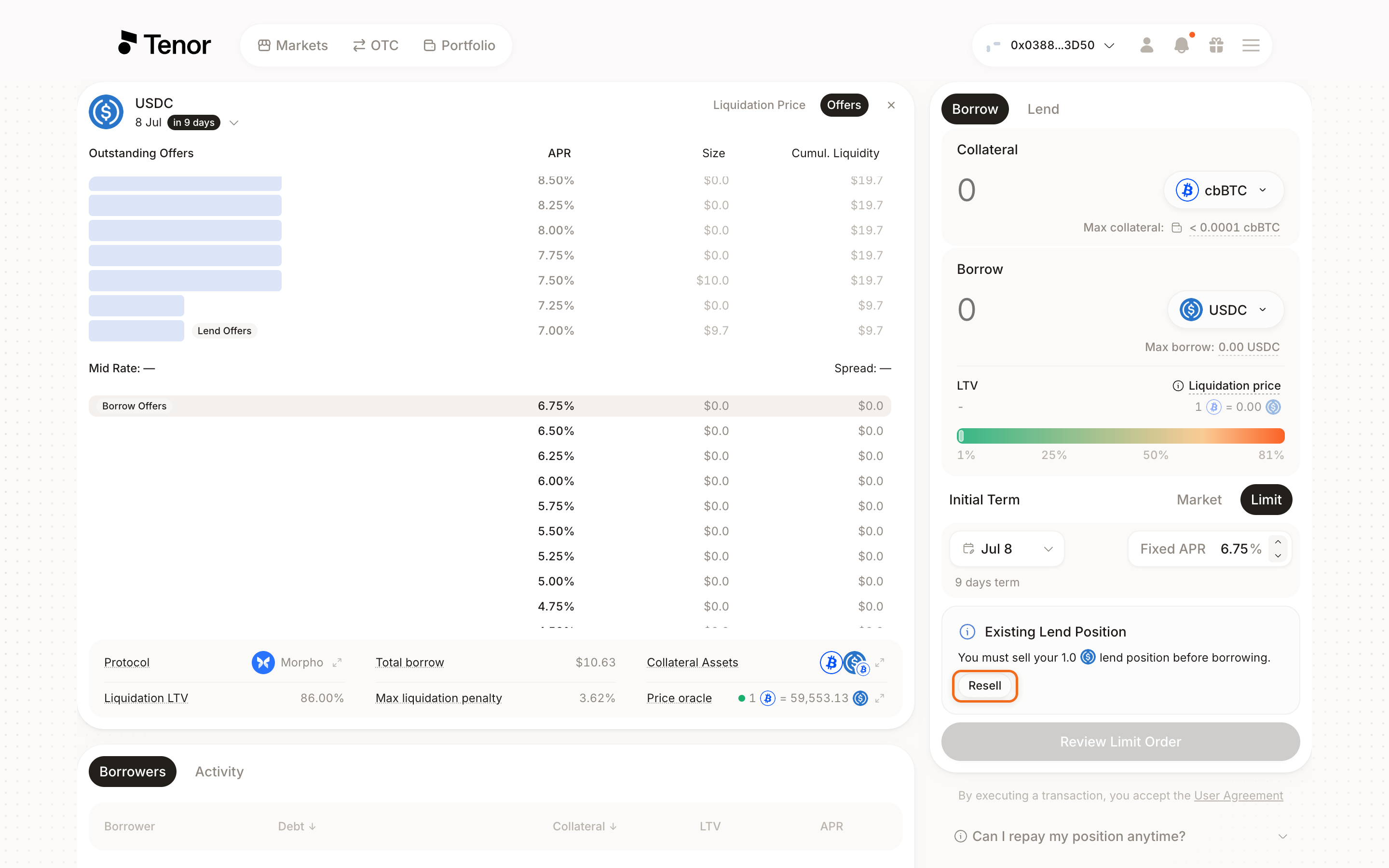
In the Resell tab, enter the amount you want to resell, then choose Market to resell against an existing offer at the current rate, or Limit to set a target rate and relist your position as a limit offer.
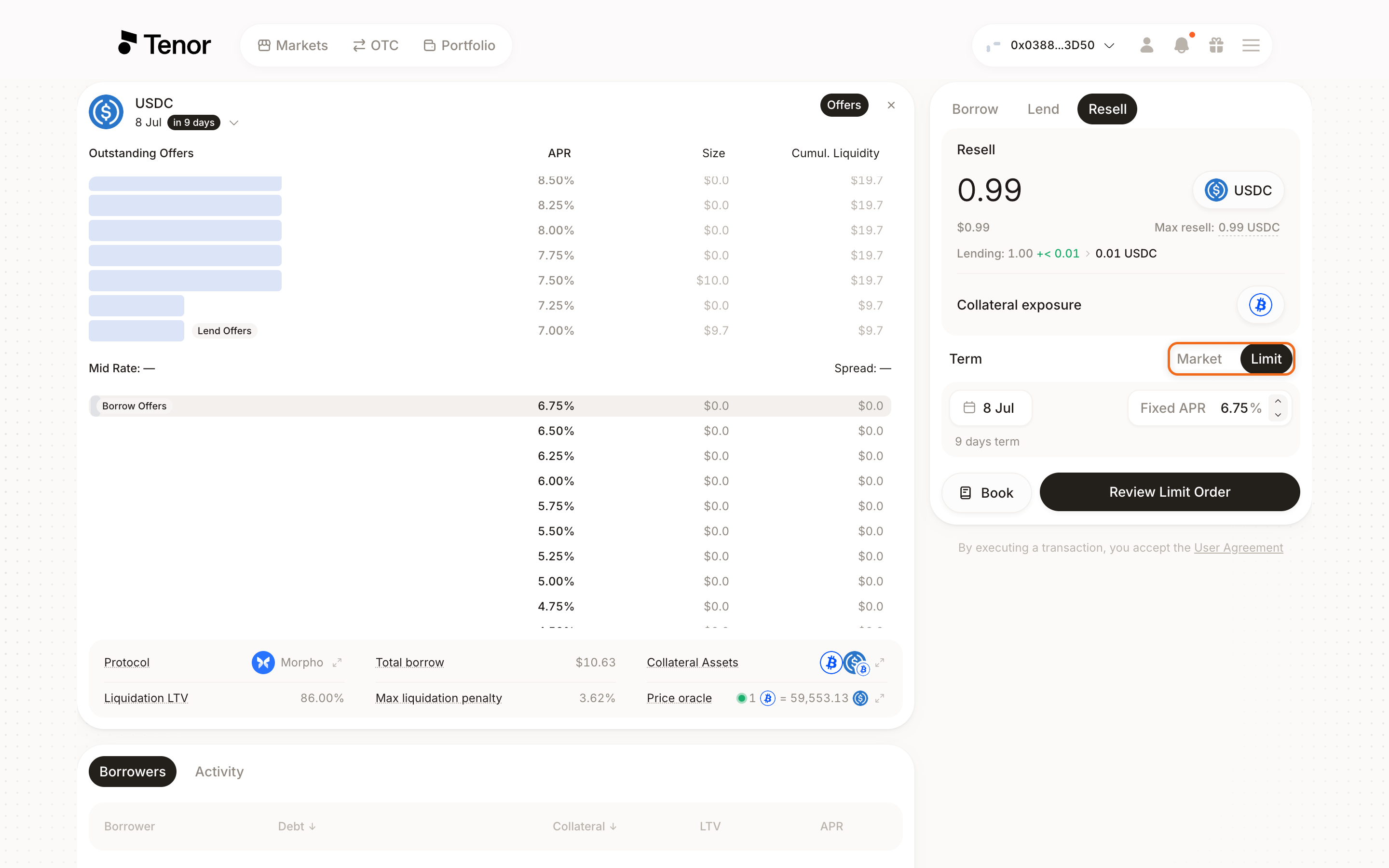
Click Review Order for a market resale or Review Limit Order for a limit offer, then confirm and sign the transaction in your wallet.
Note: If market rates have moved since your position was initiated, you may realize a gain or a loss when reselling. Learn more about how rates affect early exit value.