Auto-Renewal
Auto-renewal is a system that programmatically rolls over borrow positions at maturity. It is subject to available liquidity in the target market (fixed rate or variable rate). Learn more about how auto-renewal works here.
For a New Position
You set the renewal policy when you initiate your borrow position.
After entering your borrow transaction details, click Review Order.
Select the renewal policy you want.
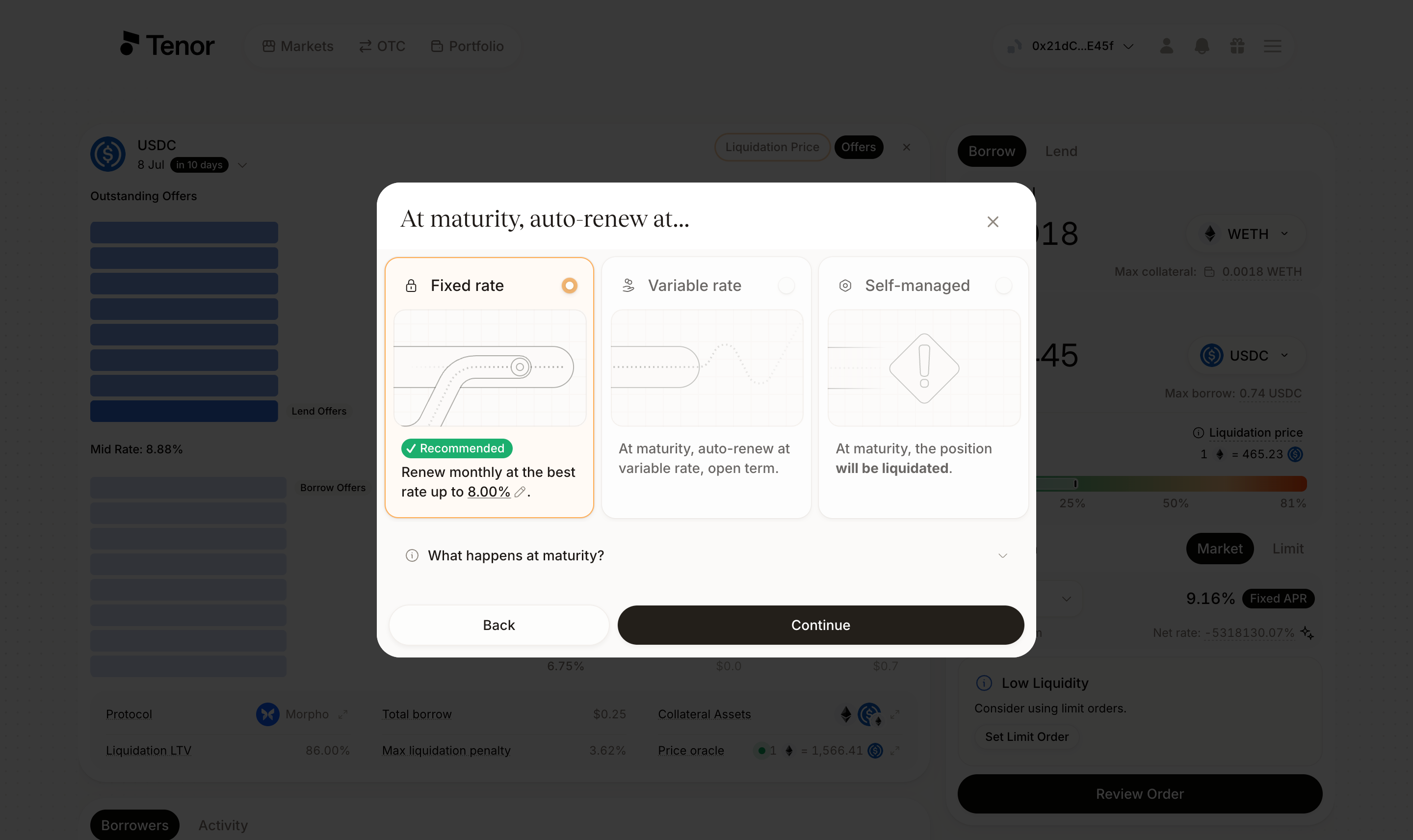
If you select fixed-rate auto-renewal, you can set your maximum renewal rate. Adjust it directly on the card, or open the What happens at maturity? section and click the maximum renewal rate.
Note: If the position cannot be renewed at a fixed rate, it defaults to a variable rate for an open term.
For an Existing Position
You can edit the renewal policy from the Portfolio page or from the position's detail page. Both paths open the Edit Renewal Policy window.
- Portfolio page
- Position page
Go to the Portfolio page, where your positions are listed.
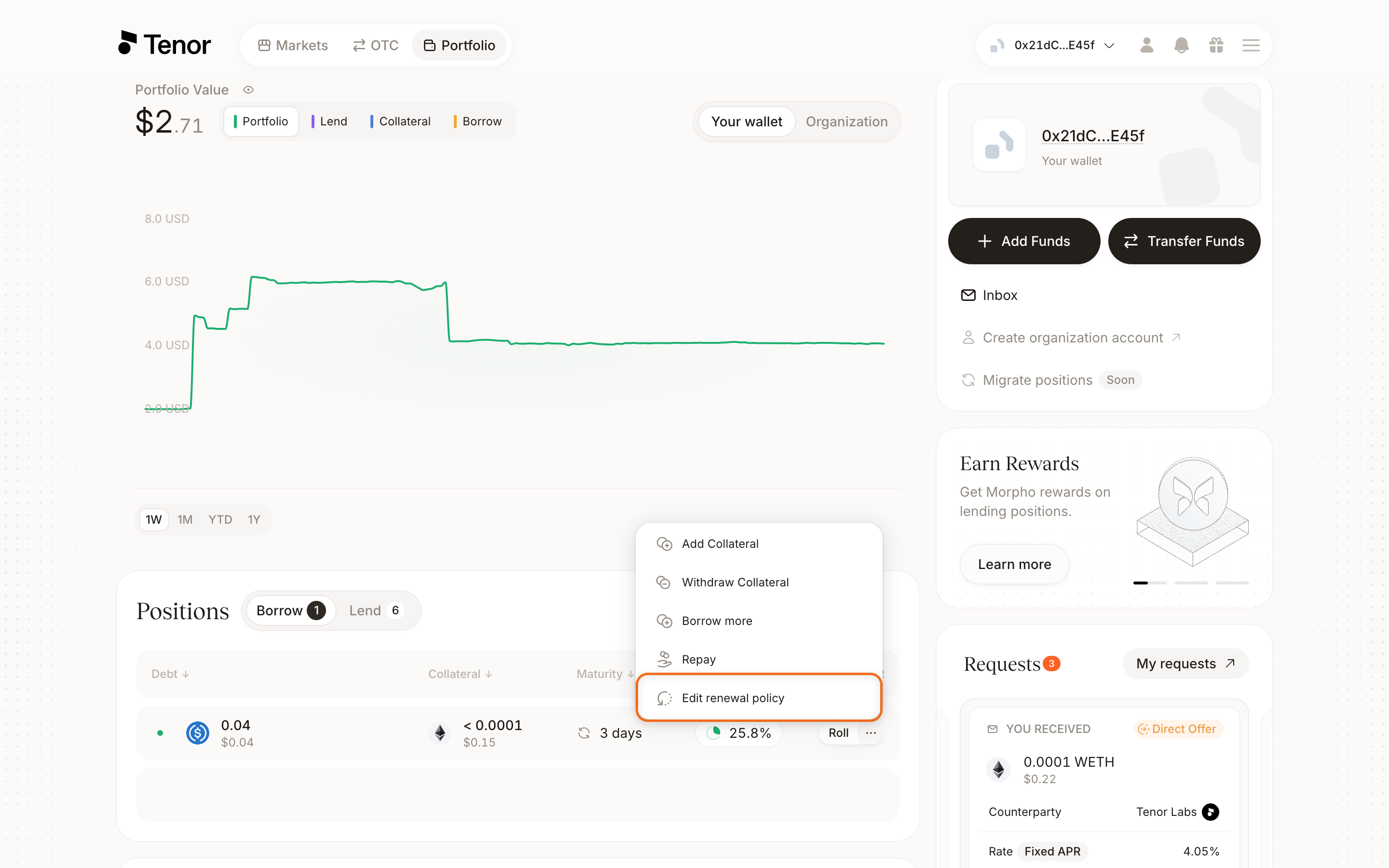
In the positions table, hover over the position's row, then click the three dots and click Edit renewal policy.
Select your preferred renewal policy.
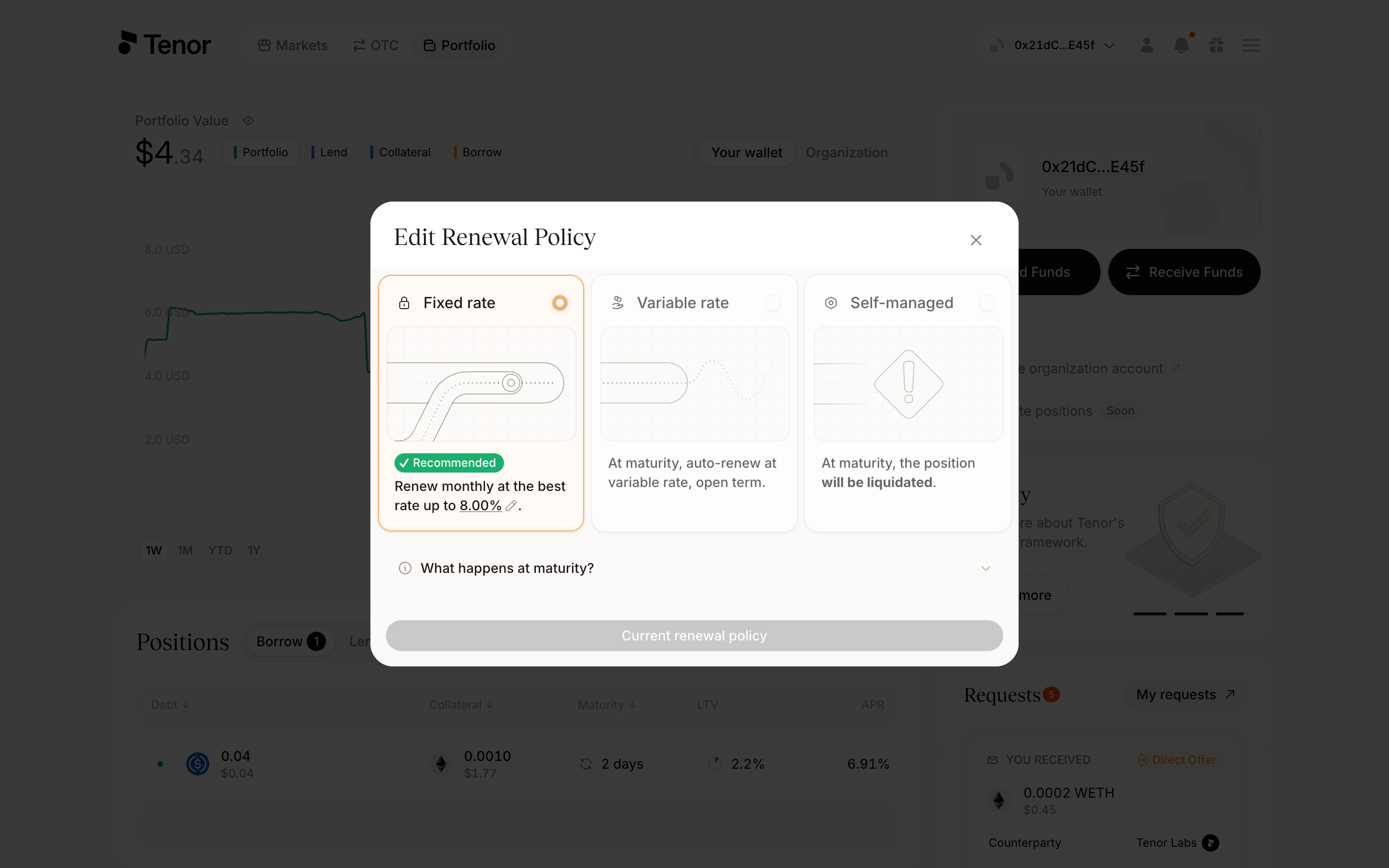
If you select fixed-rate auto-renewal, you can set your maximum renewal rate. Adjust it directly on the card, or open the What happens at maturity? section and click the maximum renewal rate.
Go to the Portfolio page and click the position you want to update to open its detail page.
In the Actions tab, click the edit icon on the At Maturity line.
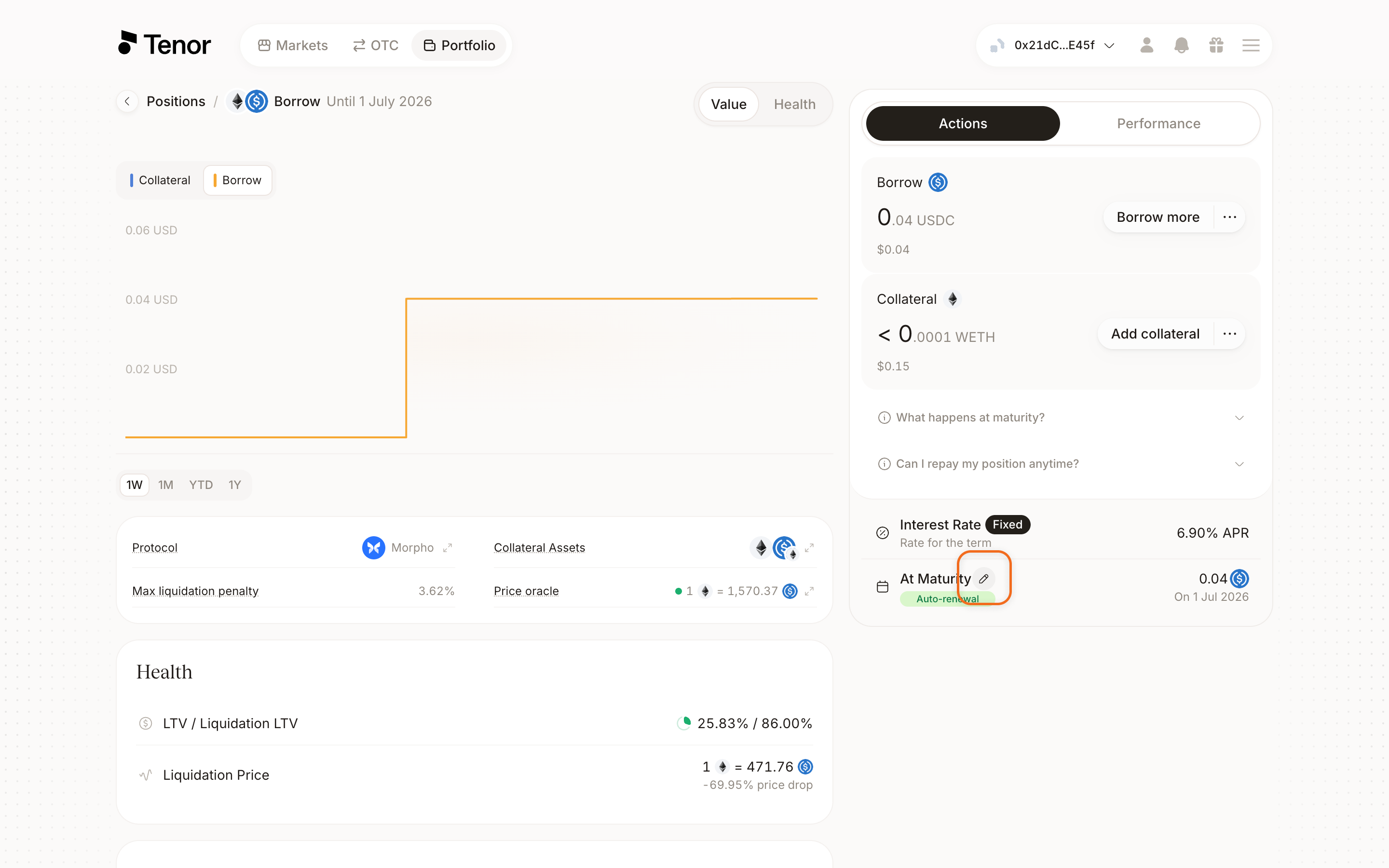
Select your preferred renewal policy.
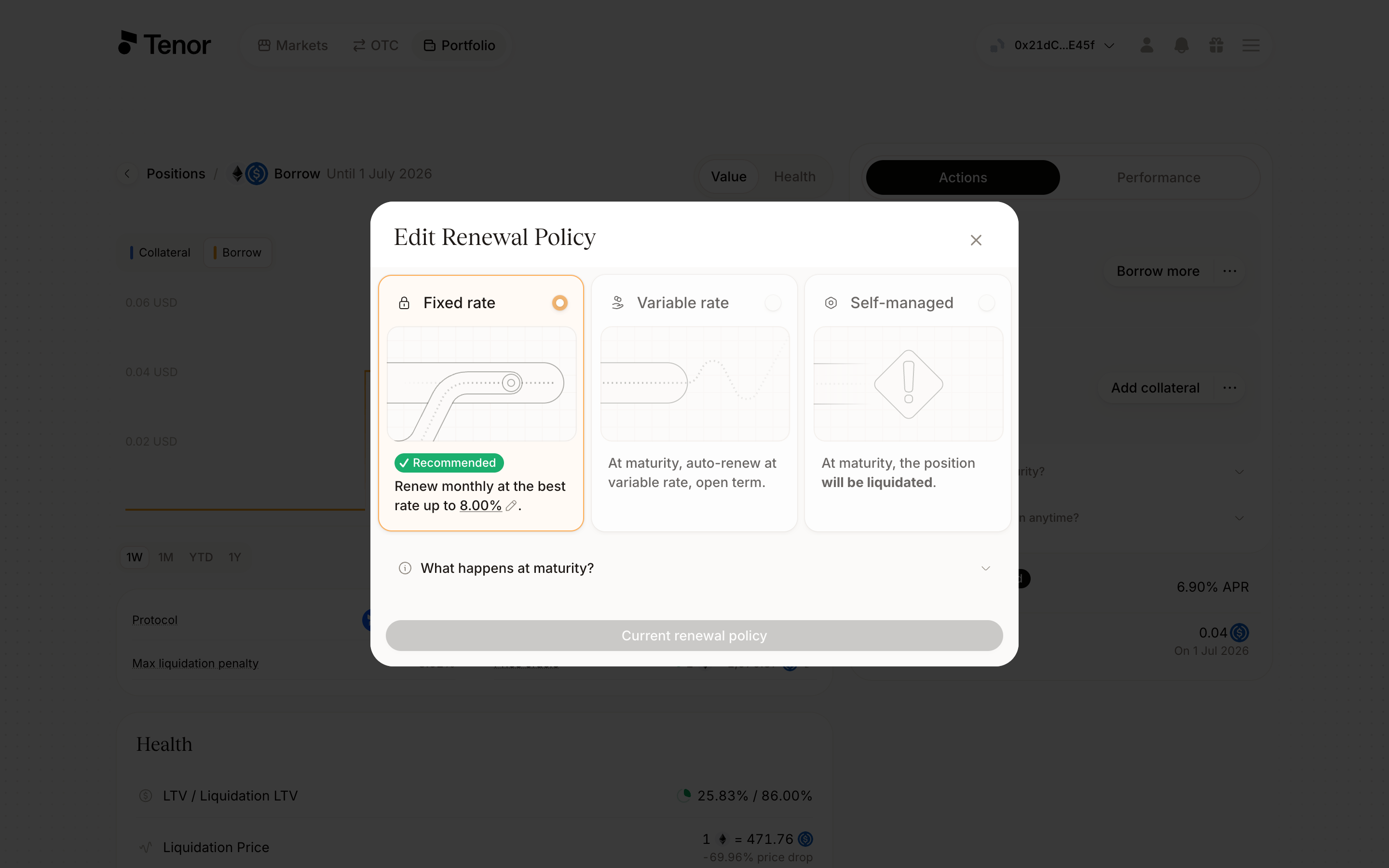
If you select fixed-rate auto-renewal, you can set your maximum renewal rate. Adjust it directly on the card, or open the What happens at maturity? section and click the maximum renewal rate.